Calendar management eats hours every week. Back-and-forth emails to find a meeting time, double bookings, forgotten follow-ups. AI scheduling tools eliminate all of that — and the best ones learn your preferences and optimize your entire calendar automatically.
Quick Picks

| Tool | Best For | Starting Price | Rating |
|---|---|---|---|
| 🥇 Reclaim.ai | Smart calendar optimization | $8/mo | ⭐⭐⭐⭐⭐ |
| 🥈 Calendly | Meeting booking pages | $10/mo | ⭐⭐⭐⭐½ |
| 🥉 Motion | Task + calendar AI | $19/mo | ⭐⭐⭐⭐ |
| Clockwise | Team scheduling | $6.75/mo | ⭐⭐⭐⭐ |
| Cal.com | Open-source option | Free | ⭐⭐⭐½ |
1. Reclaim.ai — Best Overall AI Calendar
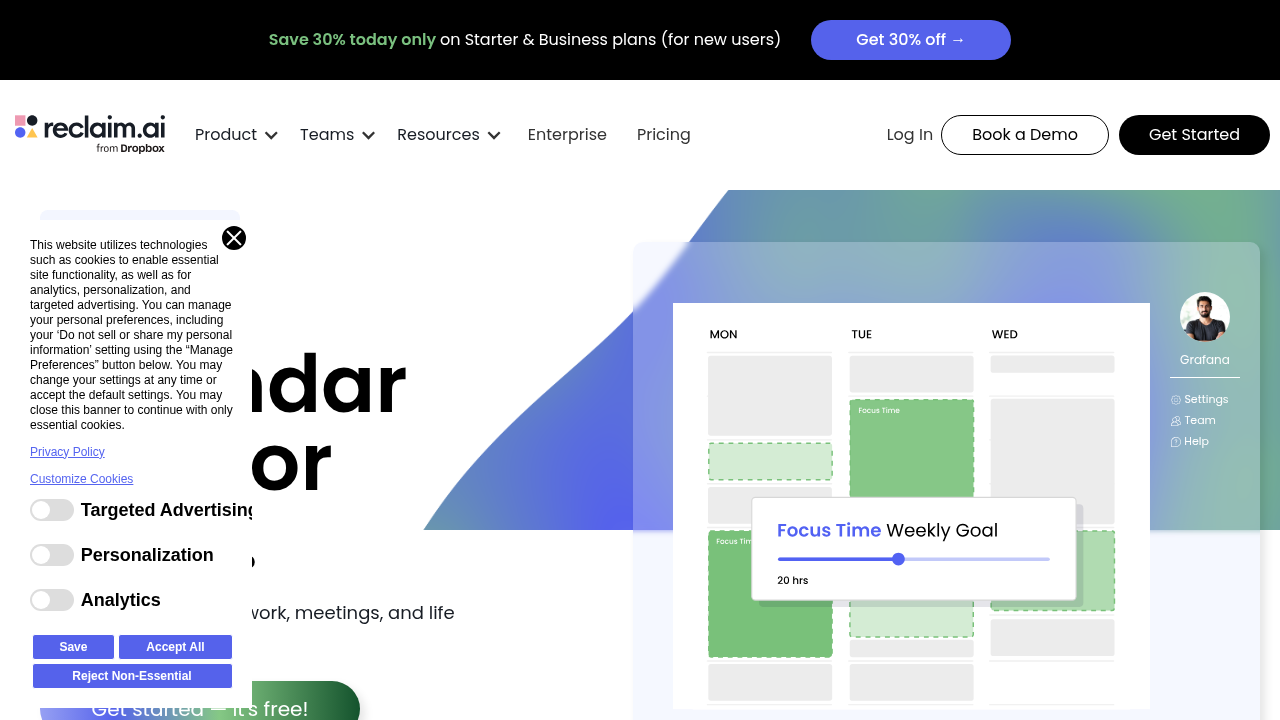
Reclaim.ai goes beyond simple scheduling links. It actively manages your calendar — finding the best time for tasks, protecting focus blocks, and automatically rescheduling when things change.
Key Features
- Smart task scheduling: Drop tasks in, Reclaim finds the best time
- Habits protection: Blocks lunch, gym, focus time automatically
- Meeting optimization: Schedules meetings during your “low focus” hours
- Buffer time: Auto-adds travel or prep time around appointments
- Sync across calendars: Works with Google Calendar
Pricing
- Free: Basic task scheduling
- Starter: $8/month (unlimited tasks, habits)
- Business: $12/month (team features, analytics)
Pros & Cons
✅ Actually learns your priorities and patterns ✅ Protects focus time automatically ✅ Great for solopreneurs and remote workers ❌ Google Calendar only (no Outlook native sync) ❌ Can take a week to “learn” your patterns
Best for: Knowledge workers, freelancers, anyone with a packed calendar
2. Calendly — Best for Meeting Booking
Calendly is the gold standard for sharing your availability and letting others book meetings. The AI features help optimize when meetings get scheduled based on your preferences.
Key Features
- Booking pages: Share a link, let others pick a time
- Round-robin routing: Distribute meetings across team members
- Buffer times: Auto-add breaks between meetings
- Integrations: Zoom, Salesforce, HubSpot, 700+ apps
- Workflows: Auto-send reminders, follow-ups
Pricing
- Free: 1 event type, basic booking
- Standard: $10/month (unlimited event types)
- Teams: $16/month (round-robin, analytics)
- Enterprise: Custom
Pros & Cons
✅ Industry standard — everyone knows how to use it ✅ Massive integration ecosystem ✅ Reliable and polished ❌ Limited AI smarts compared to Reclaim ❌ Can feel impersonal for relationship-based businesses
Best for: Sales teams, consultants, anyone booking many external meetings
3. Motion — Best AI for Task + Calendar Combined
Motion is unique: it is an AI project manager and calendar rolled into one. It does not just schedule meetings — it plans your entire workday including tasks, deadlines, and projects.
Key Features
- Auto-scheduling: Drops tasks into your calendar based on deadlines and priority
- Daily plan: Every morning, AI creates your optimized schedule
- Meeting scheduling: Built-in booking page like Calendly
- Project management: Track projects and tasks, Motion schedules them
- Rescheduling: When you miss a task, Motion automatically reschedules
Pricing
- Individual: $19/month
- Team: $12/user/month
Pros & Cons
✅ Best-in-class task + calendar integration ✅ Automatically handles task spillover ✅ Great for deadline-driven work ❌ Expensive compared to simpler tools ❌ Learning curve — requires committing to the system
Best for: Entrepreneurs, managers, anyone juggling projects and meetings
4. Clockwise — Best for Teams
Clockwise focuses on optimizing team schedules — finding meeting times that protect everyone’s focus time, not just the organizer’s.
Key Features
- Team scheduling: Finds meeting times that work for whole teams
- Focus time protection: Defragments everyone’s calendar
- Smart hold: Books tentative blocks that auto-release when not needed
- Analytics: See where your team’s time actually goes
- Slack integration: Schedule from Slack
Pricing
- Free: Basic optimization for individuals
- Teams: $6.75/user/month
- Business: $11.50/user/month
Pros & Cons
✅ Best for teams (not just individuals) ✅ Protects focus time across the whole organization ✅ Good analytics ❌ Less powerful for individual task management ❌ Requires team adoption to get full value
Best for: Remote teams, companies wanting better meeting hygiene
5. Cal.com — Best Free/Open-Source Option
Cal.com is the open-source alternative to Calendly. It’s free to self-host, has a generous free plan, and the AI features are catching up fast.
Key Features
- Unlimited event types on free plan
- Open source: Self-host for full control
- AI scheduling assistant: Natural language booking
- Routing forms: Direct bookers to the right team member
- Workflows: Reminders, follow-ups, confirmations
Pricing
- Free: Unlimited events (Cal.com hosted)
- Team: $12/month for team features
- Self-hosted: Free forever
Pros & Cons
✅ Best free tier in the category ✅ Open source with full data control ✅ Rapidly improving AI features ❌ Less polished than Calendly ❌ Fewer native integrations
Best for: Budget-conscious users, developers, privacy-focused teams
Which AI Scheduling Tool Should You Choose?
If you want smart calendar optimization — Reclaim.ai (it thinks about your whole calendar, not just bookings)
If you book lots of external meetings — Calendly (the industry standard)
If you need task + calendar together — Motion (worth the price if you are deadline-driven)
If you manage a team — Clockwise (best for protecting everyone’s focus time)
If budget is tight — Cal.com (free tier is genuinely good)
Bottom Line
The best AI scheduling tool depends on your workflow. Solo and overwhelmed? Start with Reclaim.ai. Client-facing work? Calendly is essential. Project-heavy? Motion is worth the premium. Managing a team? Clockwise changes meeting culture for the better.
Any of these tools will pay for themselves in the first week.